 elyob
elyob
Editor's note (May 2026): the charging logic in this post has since been replaced with a smarter planner. See what my battery compares every 30 minutes for the current logic.
The solar panels, battery and inverter are the physical layer of my home energy system. Home Assistant is what makes it intelligent. Every device — the Victron SmartSolar MPPT, the FogstarDrift battery, the Victron inverter — is integrated into HA, which monitors them in real time, surfaces the data as dashboards, and runs the automations that keep everything ticking over.
The Main Dashboard
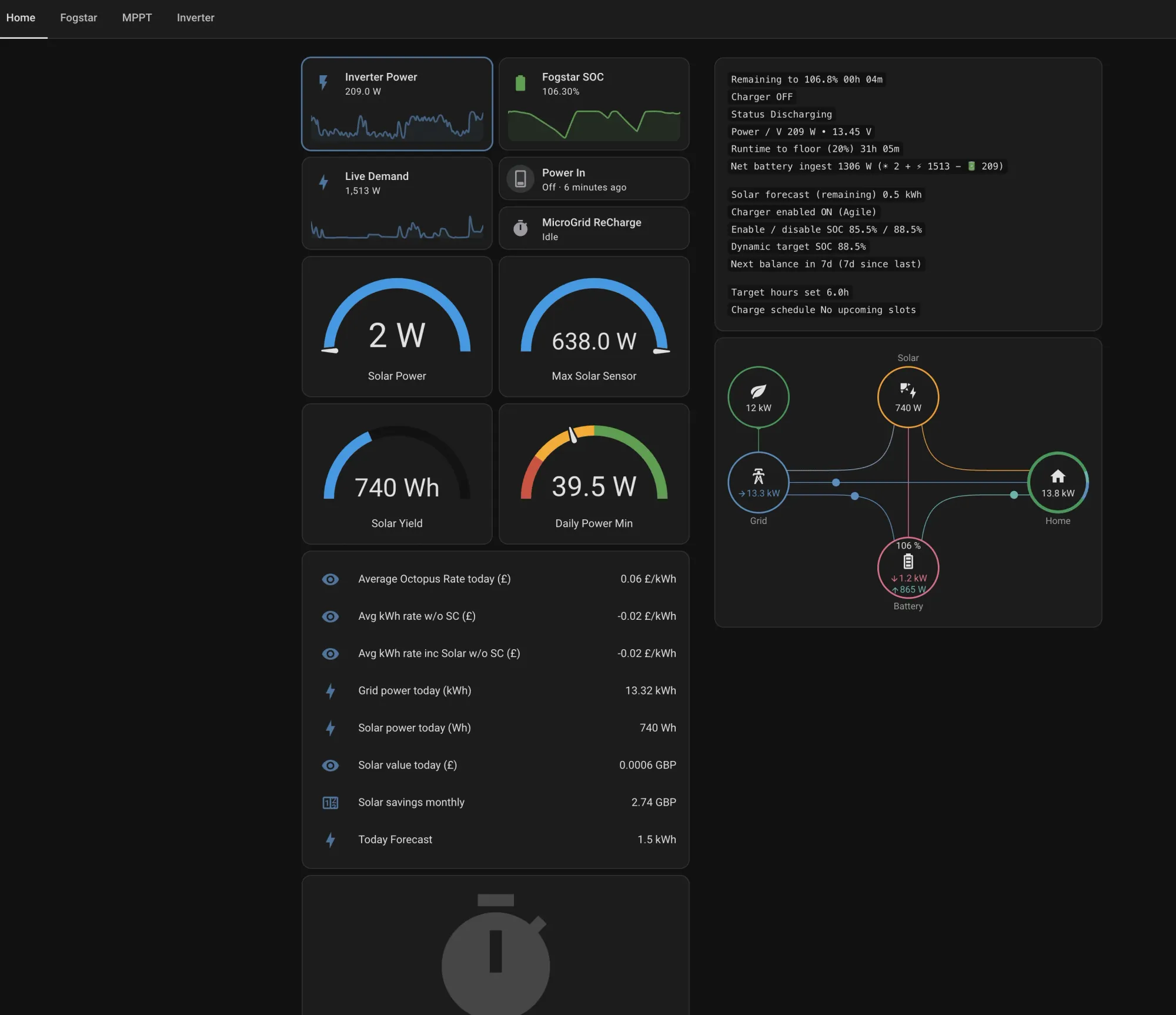
Before the component-level detail, there is a top-level Main dashboard that pulls everything into one view. Live demand, solar forecast, daily savings, battery SOC, the Octopus Agile rate for right now, the half-hourly schedule for today and tomorrow colour-coded by price band, and a set of running cost accumulators that track total electricity spend since recording began. The energy flow diagram sits in the bottom left, showing at a glance what is generating, what is consuming and what direction power is moving.
The Agile rate charts are particularly useful here — average cost per kWh, average rate with standing charge, and average rate net of solar generation. That last figure is the one that actually matters: on a good solar day with a plunge event it can drop close to zero. The right-hand column shows total kWh to battery, accumulative consumption, and the current standing charge period, alongside the colour-coded half-hourly slots so it is immediately obvious whether now is a cheap time to run something heavy.
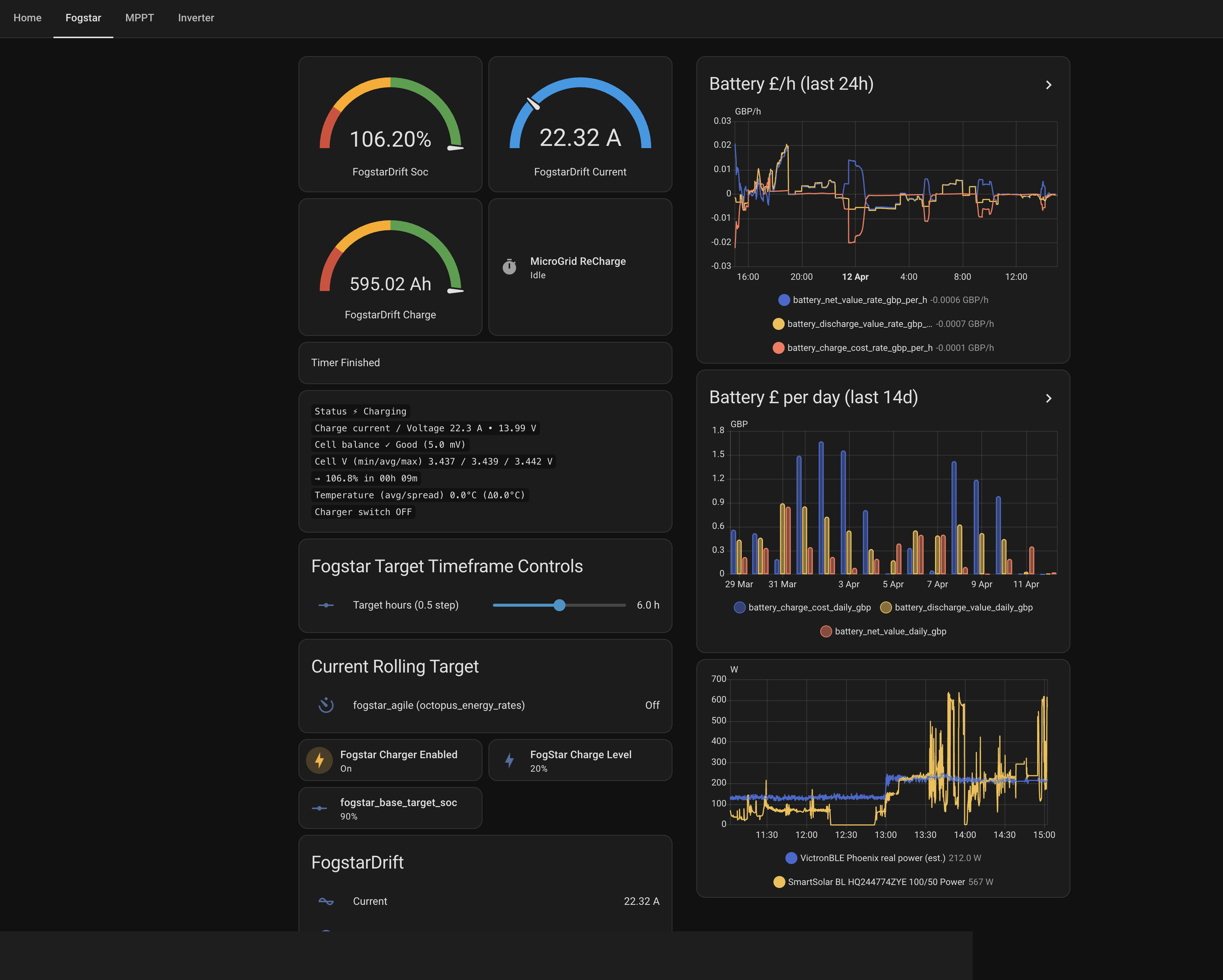
The Fogstar dashboard is where the battery lives. SOC, current, capacity in Ah, and a 24-hour battery £/h chart that shows the cost of each charge and discharge cycle. Below that, the Target Timeframe Controls — more on those shortly.
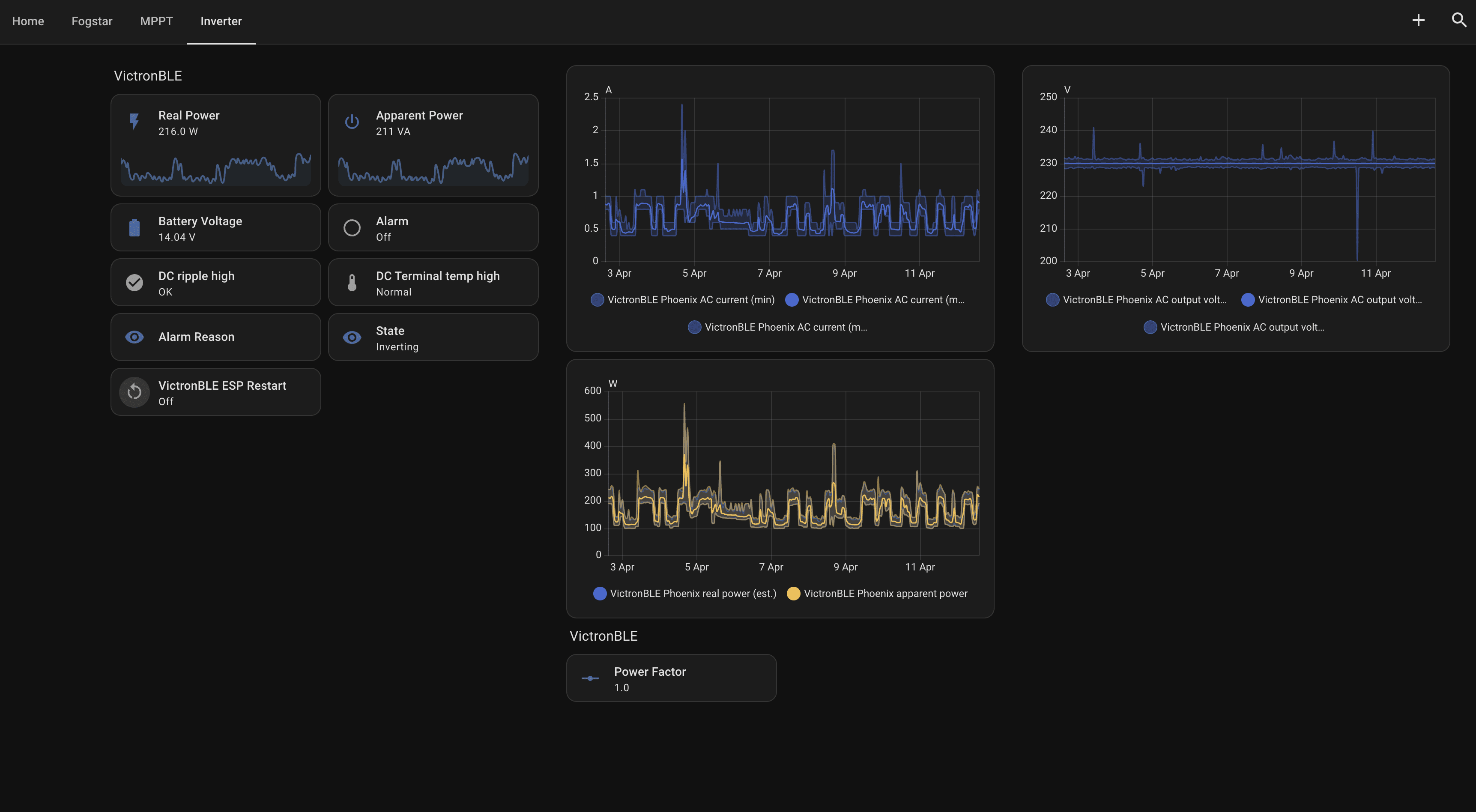
The inverter dashboard covers the VictronBLE — real and apparent power output, AC current and voltage charts, and state. On a day when the battery is discharging to cover load it shows inverting; when solar or grid is charging it shows idle on the AC side.
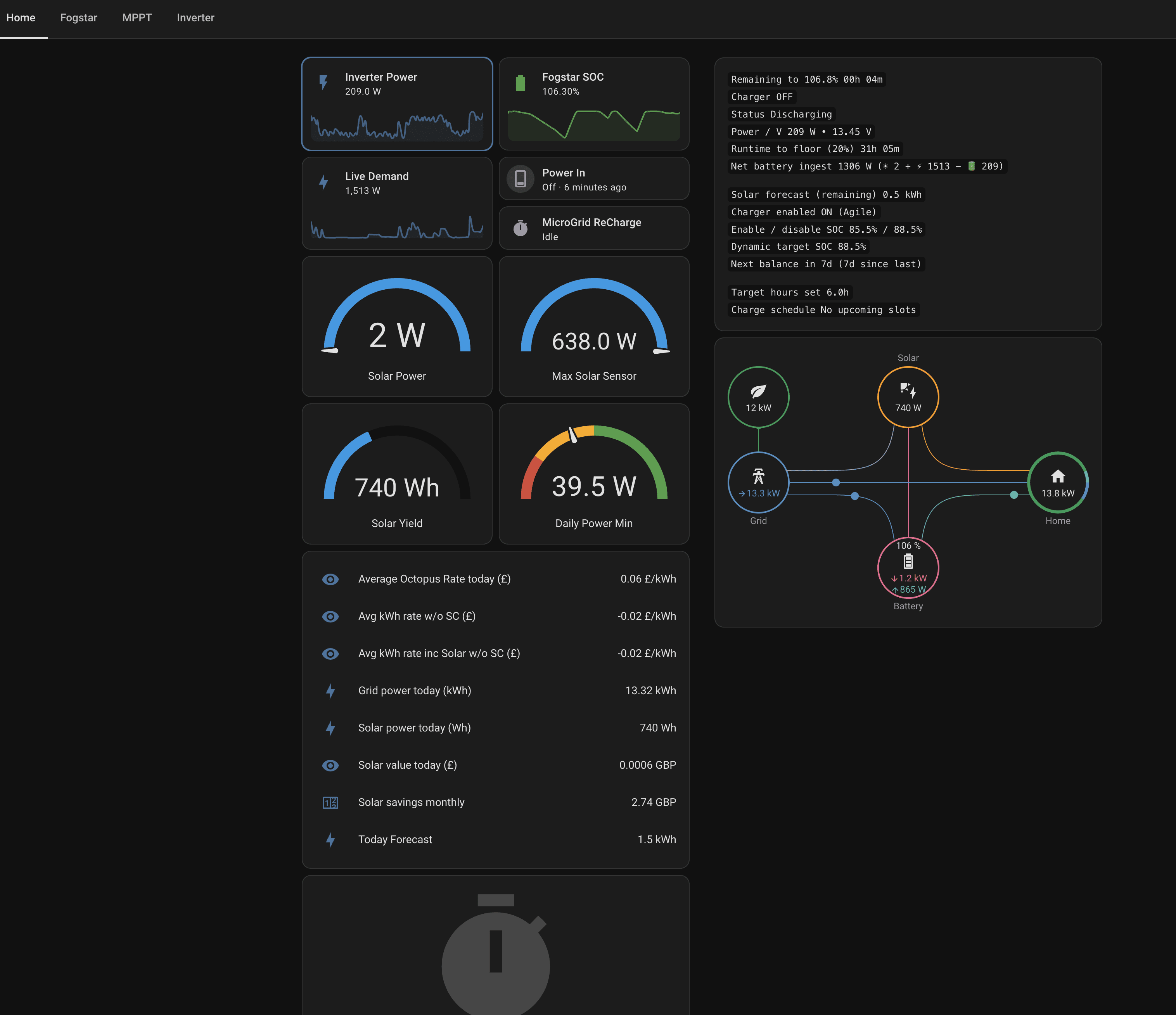
The overview pulls everything together: live inverter power, battery SOC, live demand, solar output, yield, and an energy flow diagram that shows at a glance what is generating, what is consuming and what is going where. It also surfaces the Octopus average rate for the day, grid consumption, solar savings and the forecast for the next 24 hours.
Agile Charging: Target Timeframes
The most useful automation in the setup is the Fogstar Target Timeframe charging. The idea is straightforward: rather than charging the battery whenever it drops below a threshold — which might mean buying expensive peak-time electricity — it looks at all the Agile half-hourly rates across a rolling 24-hour window and finds the cheapest consecutive block of time to charge in.
The target hours slider on the Fogstar dashboard sets how long that window should be — currently 6 hours. The automation pulls the Octopus Agile rate schedule, ranks every possible 6-hour block by total cost, picks the cheapest one, and enables the FogstarDrift charger only during those slots. Outside that window, a floor kicks in: if the battery drops below a user-set threshold (currently 25%), it triggers a 20-minute boost charge — just enough to keep critical equipment running without locking into a full charge at whatever rate is currently on the meter.
The result is that the battery almost always charges at the cheapest point of the day — typically the early hours of the morning, or during a plunge event if one hits. The Current Rolling Target field on the dashboard shows which rate schedule it is tracking, and Fogstar Agile Enabled flips on and off automatically as slots open and close.
Combined with solar generation covering daytime load and plunge events occasionally making grid electricity free, the system rarely needs to buy electricity at full price. HA is what makes that work without any manual intervention.
Running Without Intervention
The practical upshot is that the system manages itself. The battery charges on the cheapest overnight slots, runs the house load through the day on stored solar, and flags anything unusual via HA notifications. The dashboards are there when something needs checking, but most days there is nothing to do except read the numbers and note that the bill is lower than it would have been.